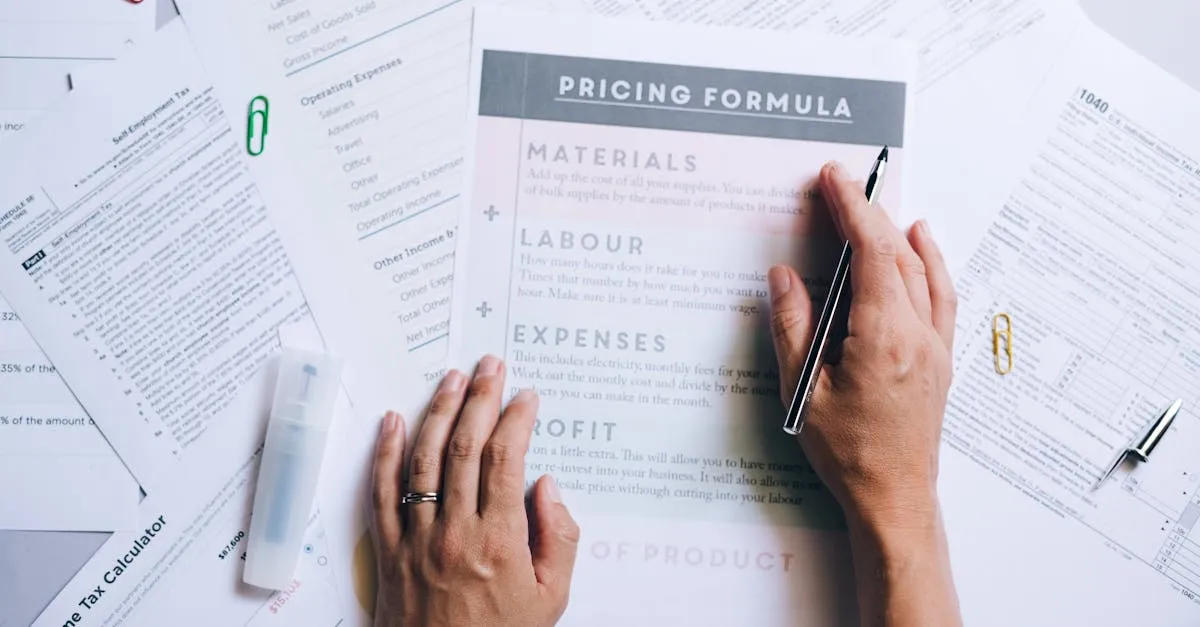
How Much Does It Cost to Create an Online Course? (The Real Numbers)
I see this question in every course creator group, forum, and DM thread: “How much does it actually cost to create an online course?”
The answers are always all over the map. Someone will say $50. Someone else will say $10,000. The person asking ends up more confused than when they started.
So let me give you the real numbers. Not guesses. Not what some guru charges for a “done-for-you” package. What it actually costs to build and launch a course — from zero dollars to premium production.
Here’s the short answer: you can create a sale-ready online course for $60 to $200. That’s it. And most of that is a microphone.
The longer answer is what the rest of this post is about.
The Complete Cost Breakdown
I’m going to lay out four budget levels — from zero dollars to fully loaded. Pick the one that matches where you are right now.
| What You’re Buying | $0 (Sweat Equity) | $60–$200 (Smart Budget) | $500–$1,000 (Professional) | $2,000–$5,000 (Premium) |
|---|---|---|---|---|
| Platform | Thinkific free tier or GHL trial | Same free options | GHL at $97/mo | GHL + custom setup |
| Camera | Your phone | Your phone | Dedicated webcam or mirrorless ($150–$500) | Multiple cameras ($800+) |
| Microphone | Earbuds that came with your phone | Samson Q2U ($60) | Samson Q2U + pop filter + arm ($100) | Professional XLR setup ($300+) |
| Lighting | Window light | Window light + desk lamp | Softbox or ring light ($80–$130) | Multi-point lighting kit ($200+) |
| Editing Software | DaVinci Resolve (free) | Same | Same or Camtasia ($180) | Professional editor ($500–$1,500) |
| Domain/Email | Free subdomain | Custom domain ($12/yr) | Custom domain + pro email ($50/yr) | Full branding package ($500+) |
| Launch/Marketing | Your existing audience | Email list + social | Paid platform + basic ads | Launch ads + VA support ($1,000+) |
| Total | $0 | $60–$200 | $500–$1,000 | $2,000–$5,000+ |
Let me walk through each level so you know exactly what you’re getting — and what you’re not.
Level 1: $0 Total (Sweat Equity)
This is the “I have no budget and I’m starting today” tier. And it works.
Platform: Thinkific has a free tier that lets you host a course with up to one course and unlimited students. You can also grab a GoHighLevel trial and build your course inside it — website, funnel, email, course hosting, all in one place.
Camera: Your phone. The rear camera on any iPhone or Android made in the last four years shoots better video than the camcorders people spent $800 on in 2010. Prop it up on a stack of books, angle it at your face, and hit record.
Microphone: Your earbuds. Not ideal, but functional. The built-in phone mic works too if you’re in a quiet room. I’ve seen courses recorded entirely on a phone that generated five figures.
Editing: DaVinci Resolve is free and professional-grade. iMovie is free on Mac. CapCut is free and runs on your phone. You don’t need Adobe Premiere.
The catch: You’ll look and sound like someone recording on their phone — because you are. But if your content is good, students don’t care. They came for the knowledge, not the production value. I’ve bought courses filmed on a laptop webcam from people I trusted. You probably have too.
Level 2: $60–$200 (Smart Budget)
This is where most course creators should start. You spend a little money on the one thing that makes the biggest difference: audio.
People will forgive mediocre video. They will not forgive terrible audio. A buzzy, echoey, hard-to-hear recording is the fastest way to make someone click away from your course and never come back.
The one purchase I recommend to everyone: a Samson Q2U USB microphone for $60. Plug it into your computer. Record into Audacity (free) or your video software. Your audio instantly sounds 10x better than your phone mic.
Optional second purchase: If you’ve got budget left over, pick up a decent webcam ($60–$80) or a ring light ($40–$130). The light makes a bigger visual difference than the camera upgrade.
Total spend: $60 to $200. This gets you a course that sounds professional and looks perfectly fine. This is all I used for my first course, and it generated real revenue.
Level 3: $500–$1,000 (Professional)
This is the tier where you start looking like you mean business. You’re investing in your setup because the course is making money and you want to level up.
Camera upgrade: A dedicated webcam like the Logitech Brio ($170) or an entry-level mirrorless camera like the Canon EOS R50 ($600–$700 with a lens). Either one gives you a noticeable step up from your phone.
Platform upgrade: You move to a paid platform. I use GoHighLevel at $97/month because it handles my website, funnels, email marketing, course hosting, and booking — all in one place. No more duct-taping five tools together.
Lighting: A proper key light ($80–$130) transforms your video quality. Good lighting makes a $200 webcam look like a $2,000 cinema camera. Bad lighting makes a $2,000 cinema camera look like a $200 webcam.
Custom domain: $12/year for a domain. Another $5–$6/month for professional email. Small cost, big credibility boost.
Who this is for: You’ve already validated your course idea, you have students or a waiting list, and you’re ready to make this a real business. Don’t start here — grow into it.
Level 4: $2,000–$5,000+ (Premium)
This is the “I’m building a brand” tier. Multiple camera angles. Custom graphics. Professional editing. A launch strategy backed by paid ads.
Multiple cameras: A two-camera setup lets you cut between a wide shot and a close-up, which keeps viewers engaged. Budget $800–$1,500 for two cameras or a camera + premium webcam combo.
Professional editing: You hire someone to edit your videos. Costs $50–$150 per finished video depending on complexity. For a 20-module course, that’s $1,000–$3,000 in editing alone.
Custom branding: Logo, color palette, course thumbnails, slide templates. A designer charges $500–$2,000 depending on scope.
Paid launch ads: Facebook, Instagram, or YouTube ads to drive traffic during your launch window. Budget $500–$2,000 for a first launch to test what works.
VA or assistant: Someone to handle student questions, upload content, manage your calendar, and do the 1,000 small tasks that eat your day. $10–$20/hour.
Who this is for: Course creators who are already generating consistent revenue and want to scale. If you’re not yet making money from your course, this tier is premature. Grow into it.

What NOT to Spend Money On
This section might save you thousands, so pay attention.
An expensive camera before you’ve recorded a single lesson. I’ve watched creators drop $2,000 on a Sony camera, a fancy lens, and a lighting kit — then realize they hate being on camera and never finish the course. Record ten lessons on your phone first. If you actually follow through, upgrade then.
A custom website before you have students. Your course platform gives you a sales page. Use it. A beautiful website with zero traffic and zero students is a $3,000 art project. Build the website after you have revenue.
Paid ads before you have a converting sales page. Running ads to a page that doesn’t convert is like pouring water into a bucket with holes. You’ll burn through your ad budget in days and have nothing to show for it. Get your sales page converting organically first — even at small numbers — then amplify with ads.
Professional video editing before you’ve tested your content. Pay someone $1,500 to polish 20 videos, then discover your students are confused by Module 3 and you need to re-record half the course. Edit your own stuff until the content is proven. Then hand it off.
The pattern is the same: validate before you invest. Prove the concept with cheap or free tools, then upgrade the pieces that matter most.
The Real Math (Why You’re Overthinking This)
Let me put some actual numbers on the table.
Your costs:
- GoHighLevel at $97/month for platform, email, funnels, and hosting
- Samson Q2U at $60 one-time for your microphone
- Your time (the real investment, but you were going to spend that anyway)
Total hard cost in month one: $157.
Now the revenue side. If you sell 10 spots at $297 — which is a modest, mid-range price — that’s $2,970 in revenue.
You’re in the black by $2,813 in your first month. That’s an ROI that would make any business owner happy.
Even if you only sell three spots at $197, that’s $591 against $157 in costs. Still profitable. Still worth doing.
The point isn’t that every course will sell 10 spots in month one. The point is that the barrier to entry is much lower than you think. You don’t need a $5,000 production budget to create a course that generates real revenue. You need a $60 microphone and the discipline to finish what you start.
Where to Invest First (Priority Order)
If you have some budget but not a lot, here’s the order I’d spend it:
- Microphone ($60) — The single biggest quality upgrade for the money. Audio quality directly affects course completion rates. Get the Samson Q2U. It’s all most creators ever need.
- Platform ($97/month) — Move to a real platform like GoHighLevel that gives you course hosting, email marketing, sales funnels, and booking in one place. Stop cobbling together free tools.
- Lighting ($80–$130) — Good lighting transforms video quality more than any camera upgrade. A single softbox or ring light pointed at your face (off to the side at 45 degrees) is the sweet spot.
- Webcam ($60–$170) — A step up from your phone camera. Not essential, but nice to have once the first three are handled.
- Camera ($300+) — Last. Only after everything above is covered and your course is generating revenue.
But What About My Time?
Yes, your time has value. No, I’m not going to pretend it doesn’t.
Creating a course takes time. A solid 15–20 module course will take you 40–80 hours from outline to finished product. That’s a real investment.
But here’s how I think about it: you’re going to spend those hours anyway. You can spend them teaching the same material one-on-one for the rest of your career, or you can spend them once building a course that teaches it for you forever.
The first option is a job. The second is an asset.
If you bill $100/hour for your expertise, an 80-hour course costs you $8,000 in “opportunity cost.” But if that course generates $30,000 in its first year — which is achievable at modest enrollment numbers — you’ve made a 275% return on that time investment.
And the course keeps selling year two, year three, and beyond. The initial time investment stays fixed while the returns compound.
The Bottom Line
You can create a real, sellable, revenue-generating online course for $60 to $200 in hard costs. Everything beyond that is an upgrade you earn your way into — not a prerequisite for starting.
The creators who succeed aren’t the ones with the nicest equipment. They’re the ones who finish the course, put it out there, and improve it based on real student feedback. A $60 microphone and a phone camera beats a $5,000 production that never ships.
Start with what you have. Invest where it counts — audio first, always. And for the full walkthrough from idea to launch, check out How to Create an Online Course for the step-by-step framework.
Your course costs less than you think. Your potential revenue is higher than you imagine. Stop researching and start recording.
For a deeper dive on budgeting your course business, check out my free Course Creator Business Blueprint course. It covers startup costs, revenue projections, and how to plan your course business finances from day one.
Need the full equipment breakdown? Head over to my Equipment page for every tool I recommend, organized by budget. Or compare platforms in Best Online Course Platforms to find the right home for your course.
You Might Also Like
Can You Create an Online Course Without Being on Camera? (Yes, Here's How)
Camera shy? You don't need to show your face. Screen recordings, slide presentations, AI avatars, and audio-only courses all work. Here are the 4 formats that don't require a camera.

How Long Should Your Online Course Be? (Here's What the Data Says)
Short answer: as long as it takes to deliver the transformation you promised. Long answer: here's what completion rates, student feedback, and 39,000+ trained professionals have taught me.
How to Create a Course Outline (With a Fill-in-the-Blank Template)
Stop staring at a blank page. Here's the exact course outline template I use — the same one behind 33 courses and 39,000+ trained professionals. Copy it, fill in your topic, and start recording.