Rode Wireless GO II Review: Wireless Audio for On-Camera Course Creators
I spent years recording course videos with a microphone parked six inches from my face. That works fine when you’re sitting at a desk talking to a camera. But the moment you stand up, walk across a room, or film a hands-on demonstration, your audio falls apart.
I picked up the Rode Wireless GO II dual-channel kit because I needed wireless audio that didn’t require a degree in sound engineering. Here’s what I found after putting it through its paces in real course production workflows.
What’s in the Box
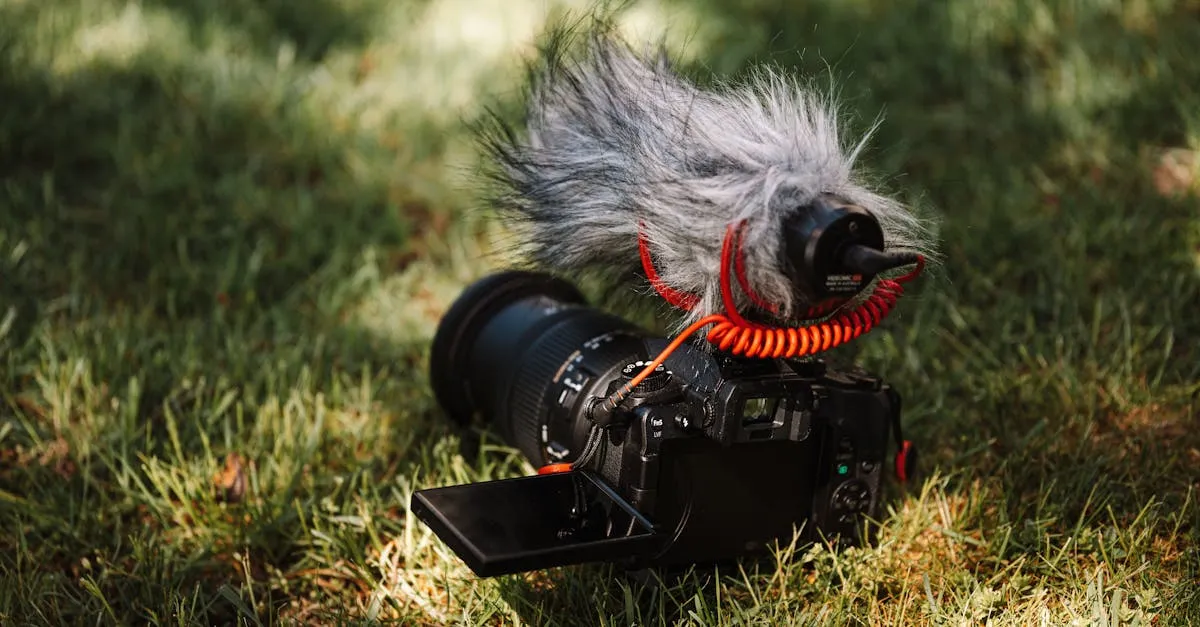
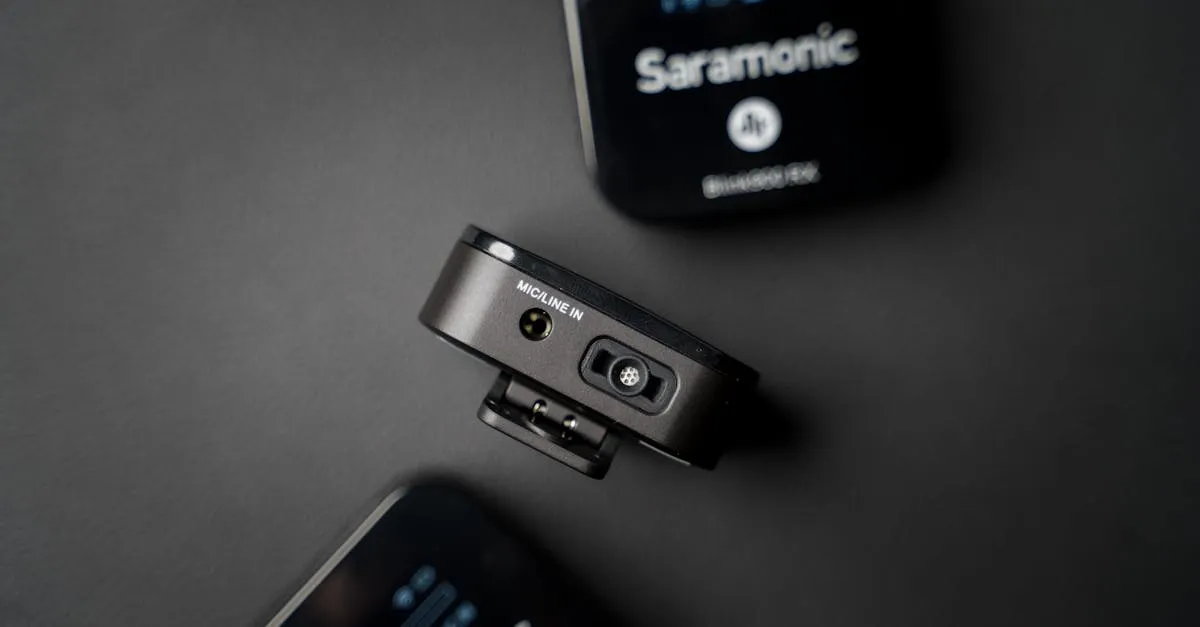
The dual kit ships with two transmitters, one receiver, three furry windshields, two USB-C cables, one 3.5mm TRS cable, and a pouch. No charging case — that’s a Gen 3 feature. The transmitters and receiver are small, clip-on units with built-in clips. They feel solid. Not fragile.
Each transmitter has a built-in microphone, so you can clip one to a shirt collar and start recording immediately. There’s also a 3.5mm input on each transmitter if you want to plug in an external lavalier mic for a cleaner look.
The receiver plugs into your camera via the included 3.5mm TRS cable, or into your phone or computer via USB-C. That flexibility matters more than you’d think.
Audio Quality
The Rode Wireless GO II uses Series IV 2.4GHz digital transmission with 128-bit encryption. In plain English: the signal is clean, secure, and doesn’t pick up the interference you get with cheaper analog wireless systems.
In my testing, audio quality through the built-in transmitter mics is surprisingly good. It’s not studio-condenser good, but it’s head and shoulders above what your camera or phone captures natively. Voice comes through clear, with enough presence that your students won’t struggle to hear you.
Plug in a decent lavalier mic and the quality steps up another notch. I tested it with a Rode Lavalier GO and the combination produces broadcast-grade audio that sits comfortably in any course platform.
The system handles two transmitters simultaneously. Both audio channels are recorded separately when you use onboard recording, and they merge cleanly through the receiver output. This is a big deal if you film interviews or two-host courses.
Range and Reliability
Rode claims 200 meters line-of-sight. In real-world use — meaning walls, furniture, and the chaos of an actual filming space — I get reliable signal up to about 50-75 feet. That’s more than enough for a classroom, kitchen, workshop, or studio space.
I haven’t experienced dropouts in normal use. The system hops between frequencies to avoid interference, and the 128-bit encryption means you won’t pick up someone else’s baby monitor or garage door opener in your audio.
One thing to know: the range drops noticeably if the transmitter is blocked by your body. Clip it to your collar or lapel where it has clear line-of-sight to the receiver, and you’ll get the best results.
Onboard Recording
Here’s the feature that sold me. Each transmitter can record audio internally — over 40 hours of it on a single charge. The recordings live on the transmitter’s onboard storage.
Why does this matter? Because it’s a safety net. If your camera audio fails, gets corrupted, or you forget to hit record on the camera, you still have pristine audio on the transmitters. I’ve had camera audio glitches ruin takes before. Having a backup recording on each transmitter eliminates that anxiety.
You access the onboard recordings through Rode Central, the companion app. You can also use the app to adjust gain modes, update firmware, and configure the transmitters.
Battery Life
The Rode Wireless GO II transmitters and receiver each give you roughly 7 hours on a full charge. That covers a full day of intermittent filming or a solid half-day of continuous recording.
It’s decent, not exceptional. If you’re filming an all-day workshop or event, you’ll want to top up during lunch. USB-C charging means you can plug into a power bank between takes. But there’s no charging case included, so you’re managing cables and power banks yourself.
The Gen 3 added a charging case. If that matters to you, look at the newer model. For my workflow — filming a few hours at a time — the GO II battery is sufficient.
Connectivity Options
This is where the system earns its keep for course creators:
- 3.5mm TRS output connects to any camera with a mic input
- USB-C digital output connects to computers, tablets, and phones
- Built-in mics on transmitters eliminate the need for external mics
- 3.5mm input on transmitters accepts external lavalier mics
I’ve used it with a Sony mirrorless camera, an iPhone, and a Macbook Pro. All three worked immediately with no driver installation or configuration headaches. Plug in, pair, and go.
For course creators who film across multiple devices, this flexibility is valuable. You’re not locked into one camera system or platform.
Who Should Buy This
The Rode Wireless GO II is the right tool if your course content involves movement. Cooking classes where you move between prep stations. Fitness courses where you demonstrate exercises. Craft tutorials where both hands are busy. Workshop walkthroughs. Field recordings. Any scenario where a desk mic won’t work.
The dual-channel kit is particularly useful for:
- Interview-style courses with two speakers
- Demonstration content where a second mic captures student questions or a co-host
- Backup audio via onboard recording — even solo creators benefit from the safety net
If you only ever film seated at a desk, a good USB microphone from our Best Microphones for Online Courses roundup will serve you better for less money. Wireless audio is a solution to a specific problem: the problem of moving around while staying mic’d up.
Who Should Look Elsewhere
If you need XLR output for a professional mixer or interface, this isn’t it — the receiver outputs via 3.5mm TRS or USB-C only. If you need phantom power for condenser mics, look elsewhere.
If you’re on a tight budget and only film at a desk, put your money into a quality USB mic instead. Wireless audio is a convenience upgrade, not a necessity for seated talking-head content.
Drawbacks
No product is perfect. Here’s what bugs me:
Price. At roughly $300 for the dual kit, it’s a significant investment for a single accessory. You can buy a very good USB microphone for less. The value equation only works if you actually need wireless.
Visible transmitters. The transmitter clips are small but not invisible. If you clip one to your shirt, your students will see it. Some creators prefer hidden lavalier mics with a separate wireless belt pack. You can use external lavs with the GO II, but at that point you’re adding cost and complexity.
No XLR output. The 3.5mm output is fine for cameras and phones, but if you’re running into a professional audio interface or mixer, you’ll need an adapter or a different system.
Battery life is adequate, not generous. Seven hours covers most filming sessions, but all-day events will require charging breaks. And without a charging case, you’re managing cables between shoots.
No charging case. The Gen 3 addressed this. The GO II leaves you plugging in USB-C cables to charge each unit individually. Not a dealbreaker, but inconvenient when you’re managing multiple pieces of gear.
How It Fits in a Course Production Setup
I treat the Rode Wireless GO II as a specialized tool in my kit. For desk recording, I still use a dedicated condenser mic on a boom arm. But for any content that involves standing, walking, demonstrating, or filming outside my studio, the wireless system is what I reach for.
It pairs well with mirrorless cameras, works with smartphones for run-and-gun filming, and the onboard recording means I never lose a take to audio problems. Browse more gear recommendations in our Equipment section or learn how to put it all together in Produce Your Course Videos.
Bottom Line
The Rode Wireless GO II solves a real problem for course creators who need to move. The audio quality is professional, the onboard recording is a genuine safety net, and the dual-channel capability opens up interview and two-host formats. The $300 price tag stings, but if your content demands mobility, it’s money well spent.
If you’re ready to stop fighting cable lengths and start filming anywhere in your space, pick up the dual kit. You’ll wonder how you managed without it.
Frequently Asked Questions
What is onboard recording?
Each transmitter records audio internally for over 40 hours, serving as a safety net if camera audio fails or you forget to hit record. Access backup recordings through Rode Central app.
Realistic range?
Real-world range with walls is typically 50-75 feet, not the claimed 200 meters. More than enough for classroom, kitchen, workshop, or studio. Clip to collar for best line-of-sight.
Worth it for desk-only recording?
No. If you only film at a desk, a good USB microphone serves you better for less money. Wireless is specifically for moving around while staying mic’d up.
What devices work with it?
3.5mm TRS output for cameras and USB-C digital output for computers, tablets, and phones. Same system across mirrorless camera, iPhone, and MacBook with no drivers.
Does it come with a charging case?
No. Gen 2 requires managing USB-C cables individually. Gen 3 addressed this with a charging case.
You Might Also Like
Best Cameras for Online Courses (2026): From Webcam to Mirrorless
Your students will tolerate bad video. They won't tolerate bad audio. But good video sets you apart. Here's every camera option for course creators — from $80 webcams to $600 mirrorless.
Best Microphones for Online Courses (2026): USB, XLR, and Wireless
Bad audio kills more courses than bad video. I tested every microphone a course creator might need — from $50 budget picks to professional studio setups.
Best USB Microphones Under $100 for Course Creators (2026)
You don't need to spend $300 on a microphone to sound professional. Here are the best USB mics under $100 that will make your course audio clean and clear.