The Hybrid Method
The most professional camera-free courses don’t use just one approach. They mix and match — AI avatars for intros, your real voice for lessons, screen recordings for walkthroughs. Each section uses the right tool for the job.
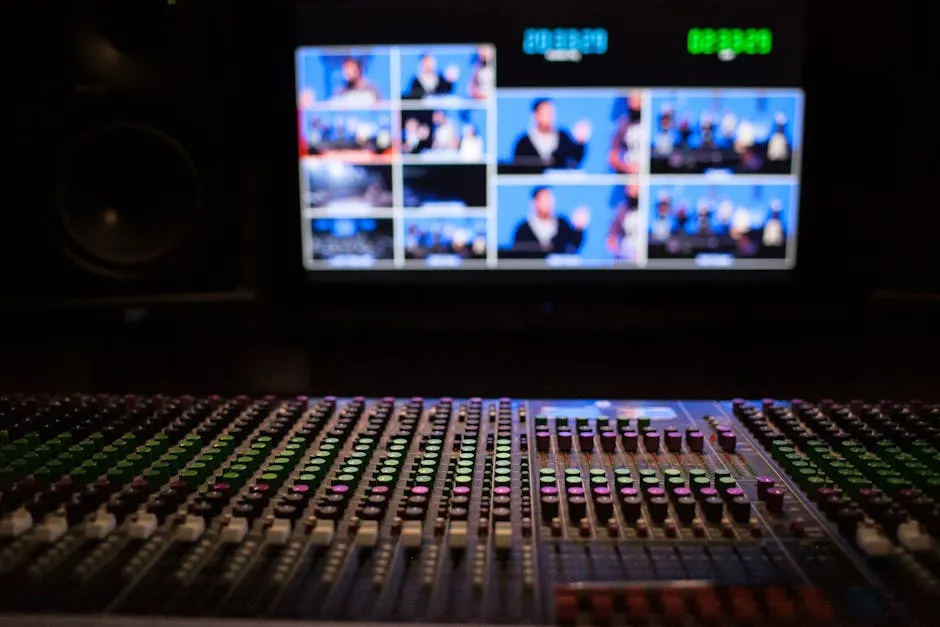
Think of it like a newscast. The anchor sits at a desk for the intro, then the segment switches to a reporter in the field, then it cuts to a graphic with a voiceover. Different formats for different types of content. Your course can work the same way.
An Example Hybrid Course
Here’s what a 12-lesson course looks like using the hybrid method:
| Section | Format | Tool | Why |
|---|---|---|---|
| Course intro | AI avatar (60 sec) | HeyGen | Sets a polished, professional tone |
| Lesson welcome | AI avatar (30 sec) | HeyGen | Consistent branding at lesson open |
| Main content | Your voice + slides | Loom/ScreenFlow | Authenticity where it matters most |
| Software walkthroughs | Screen recording + your voice | Loom/Descript | Showing is better than telling |
| Quizzes and exercises | Slides only (no voice) | Canva/Slides | Visual checkpoints don’t need audio |
| Module recap | AI avatar (45 sec) | HeyGen | Quick summary, preview of next module |
| Course outro | AI avatar (60 sec) | HeyGen | Professional close, CTA for next course |
The student experience: a polished AI avatar welcomes them to each lesson, then your real voice walks them through the content with slides or screen recordings. The avatar bookends give the course a consistent, professional feel. The real-voice middle sections build trust and authenticity.
Why Hybrid Works
AI avatars for structure. Intros, recaps, and transitions are the “framework” of your course. AI handles these perfectly — consistent energy, clean delivery, no retakes needed when you update a lesson title.
Your real voice for teaching. The middle of each lesson — where you explain concepts, tell stories, and connect with the student — benefits from your genuine voice. Even if it’s not as polished as an AI avatar, it’s more personal.
Screen recordings for demonstrations. When you’re showing software, a technique, or a process, the viewer needs to see the screen. Your voice narrating what’s happening is the most effective format.
This combination gives you 90% of the production quality of a studio-produced course at 10% of the cost.
Descript: The Glue That Holds It Together
Descript is the editing tool that makes hybrid production practical. Here’s why:
- Text-based editing — Descript transcribes all your audio. Edit the transcript, and the video edits itself. Delete a sentence from the transcript, and it disappears from the video timeline.
- Filler word removal — One click removes every “um,” “uh,” “like,” and “you know” from your recording.
- Overdub — Made a mistake but don’t want to re-record? Type the corrected text and Descript generates the audio in your cloned voice (ElevenLabs integration). It patches into your existing recording seamlessly.
- Assembly — Import your HeyGen avatar clips, your Loom screen recordings, and your slide presentations into one project. Arrange them on the timeline. Export as one seamless video.
The workflow becomes: produce each piece with the best tool for that piece, then assemble everything in Descript.
Planning Your Hybrid Course
Before you record anything, map out which format each section uses:
- List every lesson in your course
- Assign a format to each section of each lesson (avatar intro, slide content, screen recording, avatar recap)
- Batch by format — Record all your slide presentations in one session. Generate all your avatar clips in one HeyGen session. This is faster than switching between tools lesson by lesson.
- Record screen captures first — They’re the hardest to redo (software changes, live websites move). Get these locked in.
- Generate avatar clips last — They’re the fastest to change. If you update a lesson title or module name, just edit the script and regenerate the 30-second avatar clip.
- Assemble in Descript — Drop everything into the timeline, arrange, and export.
The Order Matters
Produce in this order:
- Slides — Design them first. They’re the backbone of your content.
- Screen recordings — Record while presenting your slides. This is your main content.
- Avatar clips — Generate intros, recaps, and transitions. Quick to produce, easy to update.
- Assembly — Bring everything into Descript. Arrange, edit, and export.
If you try to do everything at once — record a lesson, generate an avatar, edit it, move to the next lesson — you’ll burn out. Batching by format keeps the process manageable.
When Hybrid Is Overkill
Not every course needs three production methods. Hybrid is worth it when:
- You’re charging premium prices and the production quality needs to match
- Your course has 10+ lessons and you want visual consistency
- You’re mixing content types (teaching, demonstrating, and narrating)
- You have the budget for 2–3 tool subscriptions ($50–$70/month total)
If you’re building your first course and just need to get it done, start with voice + slides. You can always add avatar intros later.
Keep going — you're making progress through Create Videos Without Being on Camera.
Need help? Email me ↗