The Course Launch Funnel
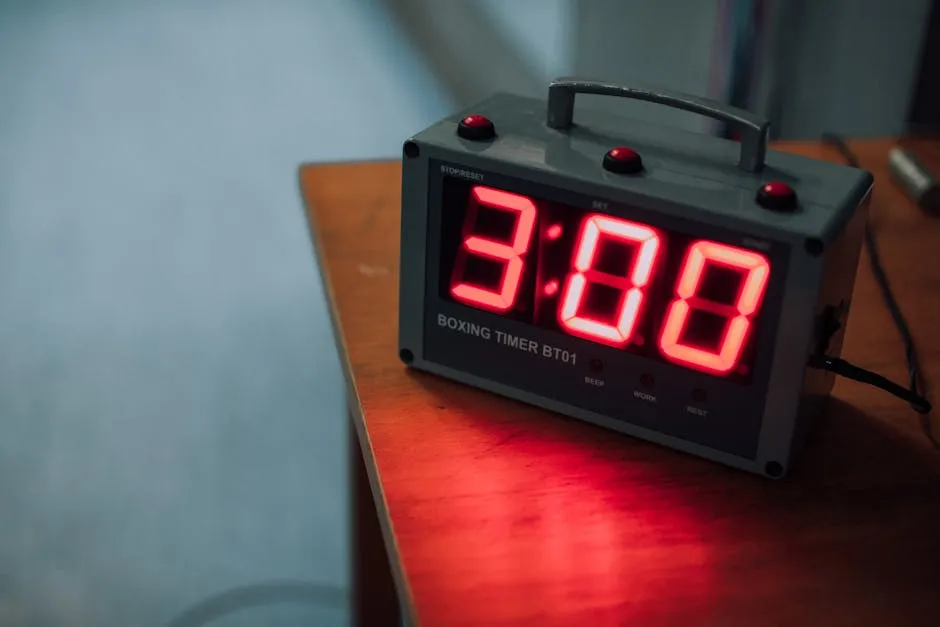
A course launch is a time-limited sales event. Doors open, people buy, doors close. The launch funnel creates urgency through deadlines — and GHL (disclosure: I earn a commission if you sign up through my link — at no extra cost to you) has everything you need to build one.
For the full launch strategy (timeline, email sequences, social media plan), see Launch Your Course. This lesson covers the GHL funnel setup.
The Launch Funnel Flow
Pre-Launch (Teaser + Waitlist) → Cart Open (Sales Page) → Cart Close (Deadline)Launches happen in three phases. Each phase is a funnel step (or set of steps) in GHL.
Phase 1: Pre-Launch (1-2 Weeks Before)
The goal: build anticipation and capture emails before you start selling.
Option A: The Teaser Page
Create a Landing Page step with:
- A teaser headline: “Something big is coming on [date]”
- A brief description of what’s coming (don’t reveal everything)
- An email capture form: “Get notified when doors open”
- An exclusive bonus for waitlist members
Tag: “launch-waitlist”
This builds a list of warm leads who’ve already expressed interest before you even open for sales.
Option B: The Free Workshop
Run a free workshop or webinar as your pre-launch event. Use the webinar funnel from the previous lesson, but add a pitch at the end:
“If you want the full course, enrollment opens [date]. Waitlist members get [exclusive bonus].”
The workshop drives people to your waitlist. The waitlist drives people to your sales page when cart opens.
Phase 2: Cart Open (Sales Period)
This is where the money changes hands.
The Sales Page
Your sales page step is the same one you built in the sales page funnel lesson. During a launch, add:
- A countdown timer — “Enrollment closes [date/time]” — GHL has a built-in countdown element
- Launch-specific bonuses — “Only available during this launch”
- Social proof ticker — “43 people have enrolled in the last hour” (use GHL’s notification element)
Launch-Specific Email Sequence
Build a workflow triggered by the “launch-waitlist” tag (for pre-launch signups) or manually triggered on cart open day:
| Day | Purpose | |
|---|---|---|
| 1 (cart open) | “It’s here! Doors are open” | Direct announcement — link to sales page |
| 2 | ”Here’s what’s inside” | Module-by-module breakdown |
| 3 | Social proof | Testimonials, student results |
| 4 | FAQ and objection handling | Address the top questions |
| 5 | Bonus reveal | ”Did you see what’s included?“ |
| 6 (last 48 hours) | Deadline urgency | ”Two days left” |
| 7 (last 24 hours) | Final countdown | ”This is it — last day” |
| 8 (cart close day) | “4 hours left” → “1 hour left” | Final push |
SMS During Launch
If you collect phone numbers, send SMS on critical days:
- Cart open day: “Enrollment is open! [link]”
- Last 48 hours: “Quick reminder — enrollment closes [date]”
- Last 4 hours: “Final hours — don’t miss out [link]“
Phase 3: Cart Close
The deadline is the most powerful conversion tool in a launch. Here’s how to enforce it in GHL:
Close the Funnel
After the deadline:
- Change the sales page to a “Doors Are Closed” page
- Disable the checkout — remove the offer or set inventory to 0
- Send a final email to non-buyers: “Enrollment is closed. The next opportunity will be [date/unknown]“
The Downsell
For people who clicked through to checkout but didn’t complete, trigger a workflow:
| Timing | Channel | Content |
|---|---|---|
| 1 hour after abandon | ”You left something behind — complete your enrollment [link]“ | |
| 24 hours before close | ”Last chance to join before doors close” |
Non-Buyer Follow-Up
After cart close, send one more email to everyone who didn’t buy:
“We’re closed! If you missed the deadline, reply to this email and let me know what held you back. Your feedback helps me improve.”
This isn’t a sales pitch — it’s genuine market research. The answers will make your next launch stronger.
Evergreen vs. Launch Funnels
This funnel is for time-limited launches. If you want your course available 365 days a year with per-person deadlines, see Sell Your Course on Autopilot.
Some course creators run both: quarterly launches plus an evergreen funnel in between. GHL supports both models simultaneously.
Key Metrics for Launch Funnels
| Metric | Good | Great |
|---|---|---|
| Waitlist → sales page visit | 30-40% | 50%+ |
| Sales page → checkout | 10-15% | 20%+ |
| Checkout → purchase | 50-60% | 70%+ |
| Overall (waitlist → buyer) | 3-8% | 10%+ |
Launch funnels typically convert higher than evergreen funnels because the shared deadline creates social momentum — people see others buying and don’t want to miss out.
Now that you have five funnel types built, let’s automate the follow-up. That’s where workflows come in.
Keep going — you're making progress through Build Funnels & Automations in GoHighLevel.
Need help? Email me ↗