Pipeline Management & Sales Tracking
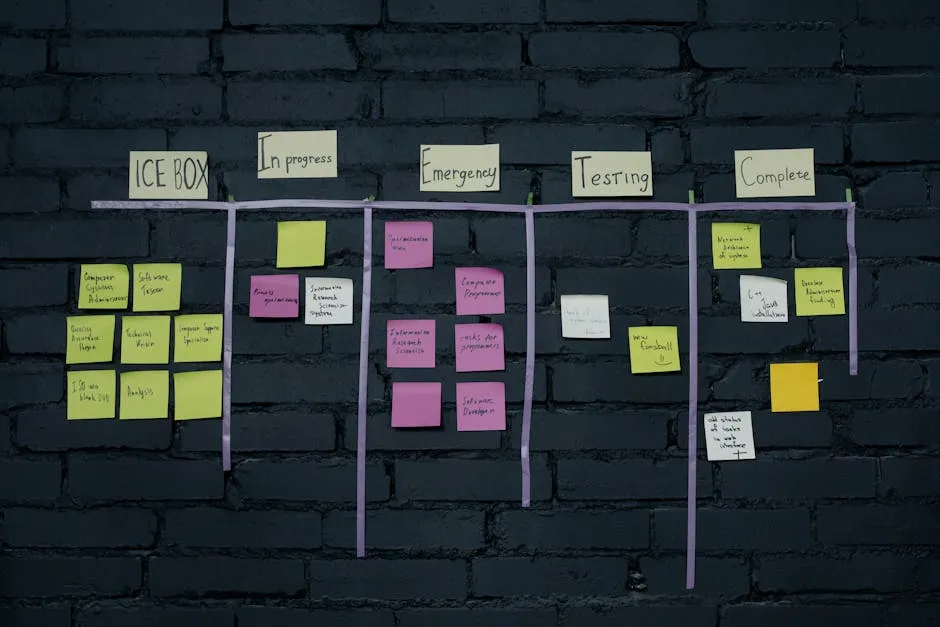
Funnels capture leads. Workflows nurture them. But how do you see where everyone is in the process?
That’s what pipelines are for.
What Is a Pipeline?
A pipeline is a visual Kanban board — columns representing stages, with contacts (called “opportunities”) moving left to right as they progress.
Think of it as a CRM for your course sales:
New Lead → Engaged → Sales Page Visited → Checkout Started → Enrolled → LostAt a glance, you can see:
- How many leads are in each stage
- Which leads need follow-up
- Your conversion rate at each step
- Projected revenue from leads in the pipeline
Setting Up Your Course Sales Pipeline
Go to Sales > Pipelines in GHL (disclosure: I earn a commission if you sign up through my link — at no extra cost to you). Create a new pipeline called “Course Sales.”
Recommended Stages
| Stage | What It Means | How Leads Get Here |
|---|---|---|
| New Lead | Just opted in | Form submission → automation creates opportunity |
| Engaged | Opening emails, clicking links | Workflow condition: opened 3+ emails |
| Sales Page Visited | Clicked through to sales page | Trigger link click |
| Considering | Spent time on sales page, maybe started checkout | Checkout started event |
| Enrolled | Purchased the course | Purchase event |
| Won’t Buy (Now) | Declined or went cold | Manual move or “inactive” tag |
| Lost | Unsubscribed or inactive 60+ days | Automation or manual |
Stage-by-Stage Automation
Connect your workflows to move contacts through the pipeline automatically:
When lead opts in:
- Create opportunity in “New Lead” stage
- Value: your course price (for revenue forecasting)
When lead opens 3+ emails:
- Move to “Engaged” stage
When lead clicks sales page trigger link:
- Move to “Sales Page Visited” stage
When lead starts checkout:
- Move to “Considering” stage
When lead completes purchase:
- Move to “Enrolled” stage
- Mark opportunity as “Won”
When lead goes inactive (60+ days no engagement):
- Move to “Lost” stage
- Mark opportunity as “Lost” with reason
Building the Pipeline Automation
Create a workflow called “pipeline-course-sales”:
TRIGGER: Form "lead-magnet-opt-in" submitted
  → ACTION: Create opportunity in pipeline "Course Sales", stage "New Lead", value $[course price]
Then, in your other workflows, add pipeline actions:
In the welcome sequence workflow:
  (after email 3)
  → CONDITION: Opened 3+ emails?
    → YES: Move opportunity to "Engaged" stage
In the nurture workflow:
  → CONDITION: Trigger link "sales-page" clicked?
    → YES: Move opportunity to "Sales Page Visited" stage
After purchase:
TRIGGER: Purchase made (your course offer)
  → ACTION: Move opportunity to "Enrolled" stage
  → ACTION: Mark opportunity as "Won"
  → ACTION: Add tag "student-active"
Revenue Forecasting
Once your pipeline is populated, GHL shows you:
- Total pipeline value — sum of all opportunity values
- Stage-by-stage value — how much potential revenue is at each step
- Win rate — percentage of leads who convert to students
- Average time to close — how long from opt-in to enrollment
This data is gold for business planning. If you know:
- Your pipeline has 200 leads worth $50,000 total
- Your conversion rate is 5%
- Your average time to close is 30 days
Then you can forecast: $2,500 in revenue over the next 30 days.
Manual Pipeline Management
Not everything can (or should) be automated. You can manually:
- Drag and drop contacts between stages
- Add notes to individual opportunities
- Assign follow-up tasks to team members
- Set reminders for specific leads
- Mark opportunities as won or lost with reasons
Weekly Pipeline Review
Spend 15 minutes each week reviewing your pipeline:
- How many new leads entered this week? (top of funnel health)
- How many moved to “Engaged”? (nurture effectiveness)
- How many visited the sales page? (email pitch effectiveness)
- How many enrolled? (overall conversion)
- Any stuck leads? (in a stage too long — need manual follow-up)
The “Stuck Lead” Protocol
If a lead has been in “Sales Page Visited” for 14+ days without moving:
- Send a personal email: “Hey [name], I noticed you checked out [course name]. Any questions I can answer?”
- If they reply, move them forward or add a note
- If no reply after 7 more days, move to “Won’t Buy (Now)“
Pipeline for High-Ticket Sales
If you sell a high-ticket program with sales calls (see High-Ticket Sales Calls), your pipeline stages change:
| Stage | What It Means |
|---|---|
| New Lead | Opted in or filled out an application |
| Qualified | Application reviewed — good fit for a call |
| Call Booked | Scheduled a sales call |
| Call Completed | Had the conversation |
| Proposal Sent | You sent pricing/next steps |
| Enrolled | They signed up |
| Lost | Declined or ghosted |
High-ticket pipelines have more manual stages because each deal requires personal attention. But the automation still handles the parts between calls — booking confirmations, reminders, and follow-up.
Pipeline vs. Funnel — What’s the Difference?
- Funnel = the pages and forms that capture leads (opt-in → sales page → checkout)
- Pipeline = the CRM view that tracks where each lead is in the process
- Workflow = the automation that moves leads through both
All three work together. The funnel feeds the pipeline. The workflow automates the movement between stages.
With your funnels built and automations running, the final piece is testing and optimizing everything. Let’s cover that next.
Keep going — you're making progress through Build Funnels & Automations in GoHighLevel.
Need help? Email me ↗