Camera Options: Smartphone, Webcam, or Mirrorless?
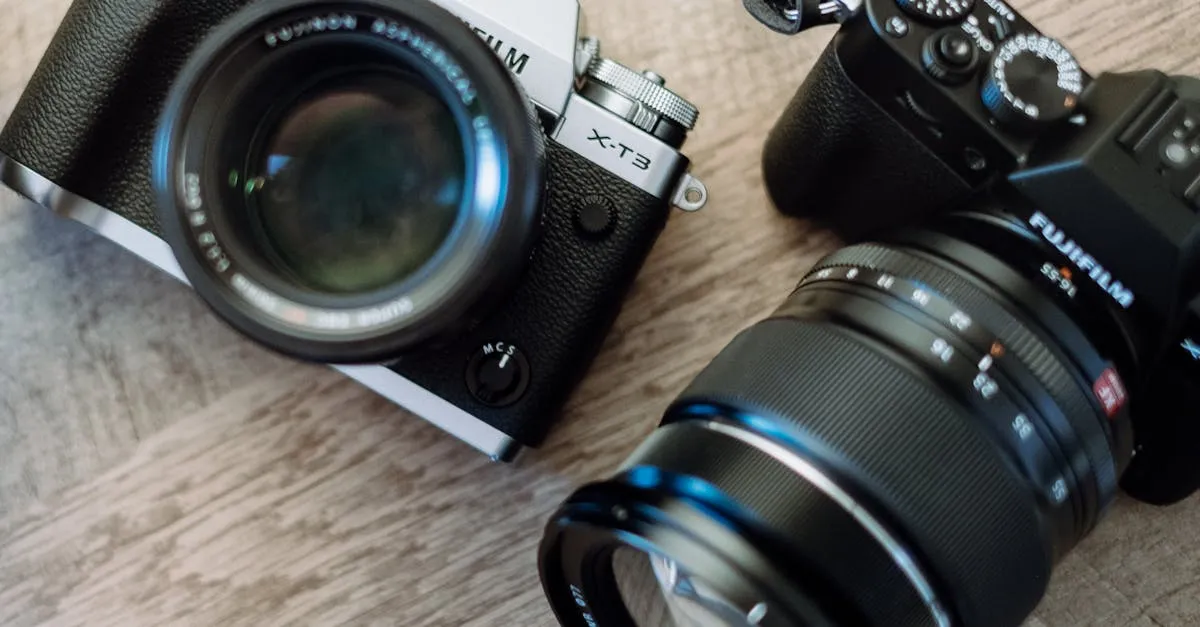
Let’s talk cameras. This is where people tend to overspend first, so let’s be direct about what matters and what doesn’t.
Why Your Smartphone Is Probably Enough
If your phone was made after 2019, its camera shoots 1080p video that’s perfectly suitable for course content. The rear camera on a modern iPhone, Samsung Galaxy, or Google Pixel produces footage that looks sharp on a computer screen, tablet, or phone.
The advantage of starting with your phone: it’s free, you already know how to use it, and it forces you to focus on the things that actually matter — audio, lighting, and content.
The trick with phone recording: Use the rear camera (not selfie mode) mounted on a tripod at eye level. Prop it up, hit record, step back, and teach. The rear camera is almost always higher quality than the front-facing camera.
Webcam: The Convenient Middle Ground
Disclosure: I earn a commission if you buy or sign up through my links — at no extra cost to you.
A dedicated webcam stays in position between recording sessions. You don’t have to mount, frame, and adjust your phone every time you want to record. That convenience matters when you’re batch-recording 10–14 lessons.
Logitech C920 / C922 ($60–80): The standard for course creators on a budget. 1080p, built-in microphone (use a separate mic instead), mounts on any monitor or tripod. Available for both PC and Mac.
Logitech Brio 4K ($150–180 as of September 2026): A step up with better low-light performance and 4K capability (though you won’t need 4K for course videos).
Elgato Facecam ($130–150): Popular with streamers, produces clean 1080p with good color. Designed for mounting and stays in position.
The main benefit of a webcam is permanence. Set it up once, adjust the framing, and it stays there. Every recording session starts with zero setup time. When you’re recording a 14-lesson course over multiple sessions, that saved time adds up.
Mirrorless Cameras: When You Want to Level Up
A mirrorless camera with interchangeable lenses produces footage that looks noticeably better than a phone or webcam — better depth of field (that blurred background effect), better low-light performance, and more professional framing.
Sony ZV-E10Sony ZV-E10 ($699 body only as of September 2026): The go-to camera for content creators. Designed specifically for vlogging and video. Has a flip-out screen, excellent autofocus, and works with Sony E-mount lenses. The kit lens (16–50mm) is fine for course recording.
Canon R50 ($600–700, body only): Canon’s entry-level mirrorless with good autofocus and a user-friendly interface. The RF-S 18–45mm kit lens covers the range you need.
Sony ZV-E10 II ($999 body only as of September 2026): The updated version with a larger sensor and better low-light. Worth the upgrade if you record in varied lighting conditions.
What You Need Beyond the Camera Body
A mirrorless camera doesn’t work out of the box for course recording. You’ll also need:
- A lens (the kit lens that comes bundled is usually fine)
- A memory card (64GB or larger, Class 10 / UHS-I)
- A tripod or mounting arm (needs to hold the weight of the camera)
- A separate microphone (the camera’s built-in mic is not good enough)
- A way to power it for long sessions (AC adapter or extra batteries)
This is why the mirrorless path costs $700+ when you add everything up. It’s an investment that pays off over many courses — but it’s not necessary for your first one.
Why 4K Doesn’t Matter for Courses
Camera marketing loves 4K. Here’s the reality for course creators: your students are watching on laptops, tablets, and phones at screen sizes where 4K makes zero visible difference.
4K footage also means:
- 4x the file size (storage fills up fast)
- 4x the editing time (your computer has to process more data)
- 4x the upload time (hosting costs may increase)
Record in 1080p at 30 frames per second. That’s the standard for course video. It looks great on every screen, edits smoothly on any computer, and exports in reasonable time.
The one exception: if you’re recording screen-share tutorials with small text on screen. In that case, 1440p (2K) can help readability. But even then, 1080p is usually sufficient if you zoom into the relevant area during editing.
Which Should You Choose?
| Situation | Recommendation |
|---|---|
| First course, tight budget | Smartphone + lapel mic |
| Recording regularly, want convenience | Webcam (C920 or Brio) |
| Producing multiple courses, want polished look | Mirrorless (Sony ZV-E10) |
| Already own a mirrorless camera | Use it! No need to buy anything new |
The Frame Rate Question
You’ll see cameras advertise 30fps, 60fps, and sometimes 120fps. For course videos, 30fps is the right choice. Higher frame rates are for slow-motion effects and gaming content. They don’t make your course look better — they just create larger files.
Set your camera (phone, webcam, or mirrorless) to 1080p at 30fps and don’t think about it again.
Next up: the most important gear investment — audio.
Keep going — you're making progress through Produce Your Course Videos.
Need help? Email me ↗